Computer Repair and IT Support in Prague

IT support in Prague and around is the one local service in our catalog: we build, repair, upgrade and clean computers, and we are honestly picky about doing it well. No mystery invoices. We tell you what is wrong, what fixing it costs and whether it is worth doing. When it is not worth doing, we say that too.

From€100/pc

  • < 1 swhere we take slow sites
  • 24/7monitoring outside office hours too
  • 100%of backups checked by a test restore
  • 1 monthcontract that runs month to month

We service computers in Prague with the same care as websites: we measure what's broken first, give you the price and only then repair. An OS reinstall costs from €100, cleaning and maintenance from €100, a repair from €150 and a custom PC build from €250 in labour. We back up your data before every job.

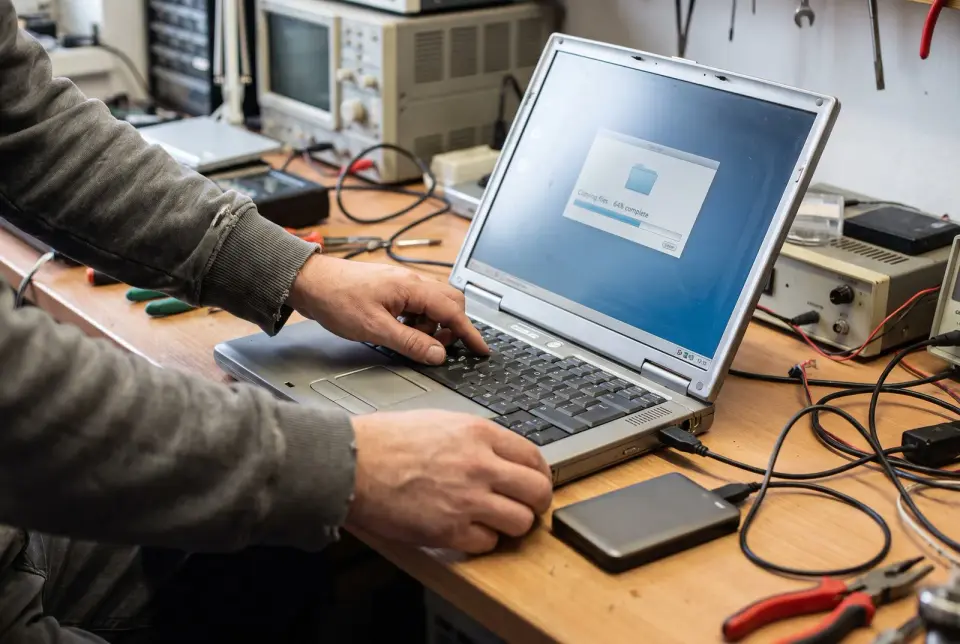
Before every job we copy your data so nothing gets lost.

Before every job we copy your data so nothing gets lost.

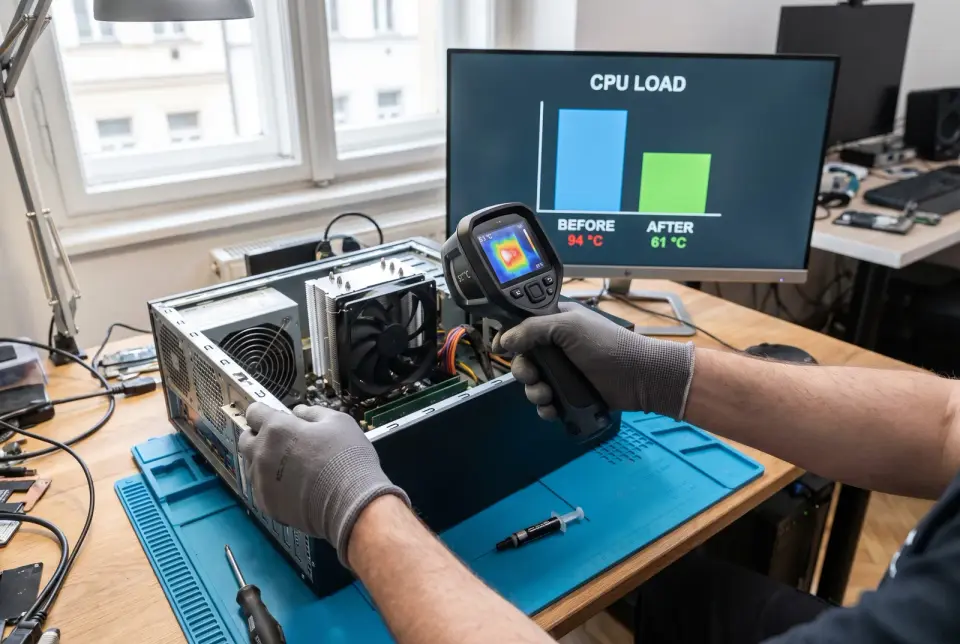
We measure temperatures and performance before and after, so you see the difference in numbers.

We measure temperatures and performance before and after, so you see the difference in numbers.

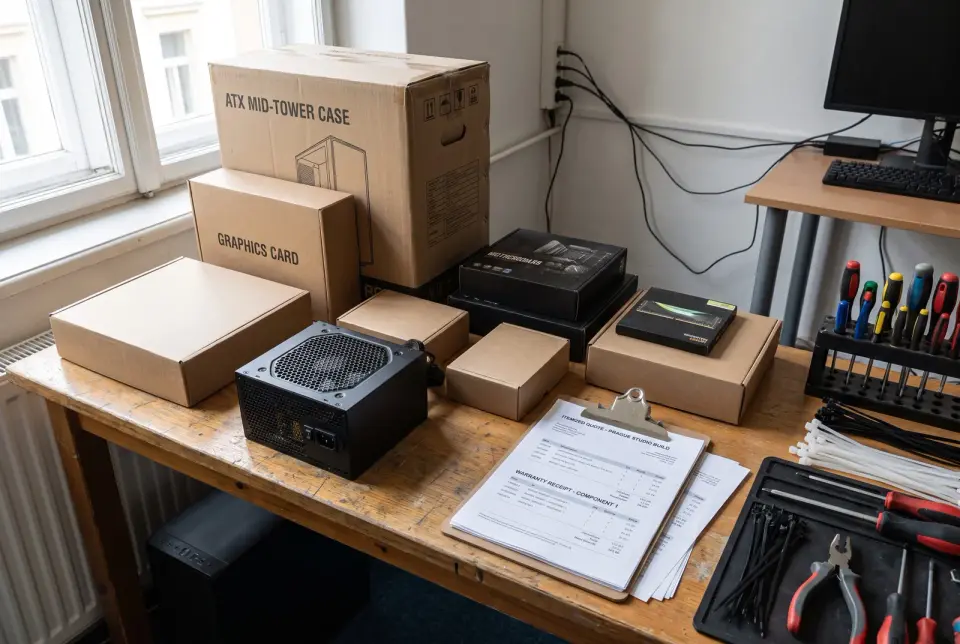
For a PC build you get a part-by-part budget and receipts with warranties.

For a PC build you get a part-by-part budget and receipts with warranties.

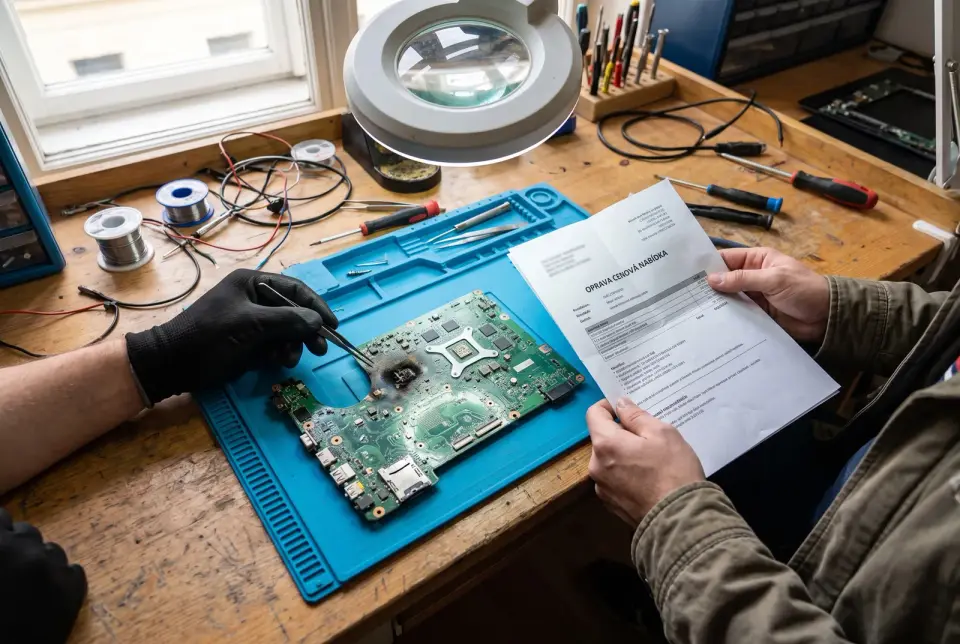
If a repair isn't worth it, we tell you before you pay for it.

If a repair isn't worth it, we tell you before you pay for it.

Every service in this category, explained

  • OS reinstall

    A clean system with all your files in place.

    In short Windows or another OS reinstalled clean: data backed up first, drivers and updates sorted, your programs back where they belong. A fresh machine, minus the fresh-machine chaos.

    How we workWe back up your data first and check that the backup actually restores, because a backup nobody’s tested is just a guess. Then we install the system clean, add drivers, updates and the programs you use, and set up accounts, mail and the printer. We also carry over what usually gets forgotten: bookmarks, saved browser passwords, licenses and files tucked in hidden folders.

    What you getA working computer with a clean system and your programs, accounts and data all back in place. We hang on to the backup of your original state until you’ve confirmed yourself that nothing’s missing.

    What's included

    • Backup verified, then installed
    • Drivers, apps and accounts configured
    • Bookmarks, saved passwords, licenses moved
    • Delivered ready to use

    Repair

    Diagnosis and a price first, then the repair.

    In short Our IT support starts with a diagnosis and an honest verdict: what died, what it costs, whether fixing it beats replacing it. Then the repair itself, properly tested before we hand it back.

    How we workWe take the machine apart and test it first, then tell you what’s broken and what the repair costs, so you’re never deciding blind. Before we touch anything else, we pull the drive and copy your data so nothing’s lost during handling. After the repair, we run the machine under load and track temperatures, so a fault doesn’t come back once it’s home.

    What you getA repaired computer or laptop, tested under load, with a backup of your data taken before we started work. You also get a clear explanation of what was broken and a straight answer on whether a future repair would still be worth it.

    What's included

    • Diagnosis, then price, then repair
    • We’re honest when repair isn’t worth it
    • Tested under load afterward
    • Your data secured first

    PC build

    A build made for what you actually do on your computer.

    In short A build put together around what you actually do on the machine. The prettiest numbers in a review do not interest us. The money goes where your workload will feel it, and there is room left to swap one part later.

    How we workWe go through the workload you’re actually planning for and your budget together, then pick parts so the money lands where it actually shows. We assemble it, tidy the cabling, set up the system and test it under load and heat. We also explain what can be swapped out later on its own.

    What you getAn assembled, configured and tested computer, with temperatures and performance measured under load. You also get a full parts list with receipts and warranty terms, plus a note on which part to upgrade first.

    What's included

    • Parts picked for your real workload
    • Load and heat tested
    • Built with room to upgrade
    • Full parts list and warranties

    Upgrade PC

    We replace only the part that slows your computer down.

    In short We find the bottleneck and fix it: RAM, SSD, GPU or cooling. We tell you which upgrade buys the most speed per koruna and fit it the same visit.

    How we workWe start by measuring where time actually gets lost. The bottleneck often sits somewhere people don’t expect: a slow drive can drag down an otherwise capable machine more than an older processor ever would. From there, we rank possible upgrades by value for money. We install the parts, move the system and data onto the new drive, and check temperatures and power.

    What you getA faster computer with your data and system carried straight over, plus before and after measurements so the difference shows up as an actual number. You also get a note on what to upgrade next, and what a new part simply won’t fix.

    What's included

    • We measure the real bottleneck
    • Most speed for your money
    • System and data moved onto the new drive
    • We’re honest if a new machine makes more sense

    PCB layout

    PCB design from schematic to manufacturing.

    In short Circuit board design for prototypes and small production runs: schematic through layout to fab-ready files, with every part picked for real-world availability.

    How we workWe choose components based on what’s actually available now and what’s still likely to be available in a year. From schematic through placement and routing, we work through power, noise, heat and test points along the way. We can support the first assembly and bring-up too, so faults show up on a single unit before a whole batch ships.

    What you getProduction files a manufacturer accepts without questions, including a placement plan and a bill of materials with available alternatives listed. You also get the schematic and the source project for the board, so a future revision can come from anyone who picks it up.

    What's included

    • Schematic to fab-ready files
    • Parts you can actually source
    • Power, noise, heat, test points covered
    • Guided through first assembly

    Virus removal

    We remove malware and confirm the system is clean.

    In short Malware removed, the system verified clean, passwords and browser security reviewed, plus five honest minutes on how to avoid catching it again.

    How we workBefore anything gets deleted, we copy your data and check it for damage or encryption. Then we go through the usual hiding spots: startup entries, browser extensions, scheduled tasks, and remove the malicious code from wherever it’s sitting. Finally we verify the system with a second, independent tool, because a quiet antivirus alone proves nothing.

    What you getA cleaned, verified computer, with a data backup taken before the work started and a recommendation on which passwords and logins to change first. You also get a plain explanation of exactly how it got in.

    What's included

    • Startup items, extensions, scheduled tasks checked
    • Passwords and logins double-checked
    • Data checked first, before deleting anything
    • How it happened, explained plainly

    PC cleaning

    A cleaned computer that is quiet and fast again.

    In short Dust out, thermal paste renewed, fans and temperatures back to normal. The cheapest way to make a loud, hot, throttling computer feel three years younger.

    How we workWe measure temperature and noise before we start, then blow out and mechanically clean the heatsinks, replace the thermal paste and check the fans. We measure again once it’s reassembled. While we’re already inside, we check drive and battery health too.

    What you getA cleaner, quieter computer, with temperatures measured before and after. You also get a report on drive and battery health, so a failure on the way shows up before it costs you any data.

    What's included

    • Heatsinks, fans, fresh thermal paste
    • Temperatures checked before and after
    • Drive and battery health reviewed
    • Cheapest fix for noise, throttling

    Sound familiar?

    John Doefirst call
    1. The computer is slow and noisy

    2. Most often it's dust in the coolers, dried-out thermal paste or an old drive. We measure temperatures, clean, replace the paste and tell you whether a cheap upgrade would help.

    3. A repair shop charged me for work I didn't want

    4. With us, diagnosis and price come first, and we repair only once you agree. The invoice comes with an explanation of what was broken.

    5. I'm afraid of losing my data

    6. Before we touch anything, we pull the drive and make a copy. We keep the backup until you've confirmed nothing is missing.

    7. I want a new computer and don't know what to pick

    8. We go through what the machine needs to handle and your budget. We build it, stress-test it and give you a parts list with a note on what to replace first at the next upgrade.

    Which one is you?

    Pick your case and enter your own numbers. The screen works out what you're losing or gaining.

    Computers keep freezing up

    Minutes a day waiting on a computer10 min
    How many people this affects3
    How much your hour is worth€30

    Waiting costs

    €330 a month

    3 people at 10 min a day over 22 working days, that's 11 h a month at €30 an hour. Cleaning and maintenance for 3 computers typically costs €450 and pays for itself in 1.4 months.

    22 working days in a month. Upper estimate: we assume maintenance removes the waiting entirely. An old computer is better helped by an upgrade. Typical price from the studio price list.

    I reinstall it myself

    How many computers1
    Hours per one doing it yourself6 h
    How much your hour is worth€30

    Doing it yourself costs

    €180

    1 computer at 6 h each, at €30 an hour. A reinstall with us typically costs €100.

    You set the hours and the rate. Typical price from the studio price list, per computer.

    My problem is the computer, the site’s fine

    What a new equivalent computer costs€990
    What you need

    Against buying new, you save

    €790

    A new equivalent computer costs €990. A repair with us typically costs €200, from €150 per machine.

    Prices from the studio price list, per machine, Prague and around. Diagnostics will show whether the machine can be saved.

    Fix the computer yourself?

    There are plenty of guides online for swapping a drive or reinstalling the OS, and with some skill you can do it. The difference starts when data is at stake, the fault is unclear or the parts are expensive.

    When you can do it yourself

    • You know exactly what's broken and there's a guide for it
    • Your data is backed up elsewhere
    • You have the tools and don't mind opening up the computer
    • A mistake wouldn't cost more than a new part

    When it's better to bring it to us

    • The drive holds data that exists nowhere else
    • The fault appears at random and you don't know which part is behind it
    • The computer is a work tool and every day without it costs money
    • You're building a pricier rig and want it stress-tested

    From a fault to a verified computer

    1. You know the next step

      Call

      You describe what the computer does. We arrange a drop-off in Prague or a visit, with the call-out price agreed upfront.

    2. Your data is safe

      Backup

      Even before diagnosis we copy the drive so no data is lost while we work.

    3. You know what's broken

      Diagnosis

      We open up the computer and test it. We tell you what's broken, what the repair costs and whether it's still worth it.

    4. The computer is fixed

      Repair

      We repair only once you agree. Parts are ordered at the prices you see on the receipt.

    5. The fix holds

      Stress test

      We run the computer under long load and watch temperatures. A fault that shows up after an hour shows up here.

    6. You know what was done

      Handover

      We return the computer with a data backup, measured values and an explanation of what was broken.

    What computer repair costs

    OS reinstall and virus removal from €100, upgrade from €100, cleaning and maintenance from €100. Repair from €150, PC build from €250 in labour. PCB layout design from €100 an hour. Parts are paid separately. Nothing is added on top, the price is final.

    Check pricing

    Call us when it breaks, or better, before

    Websites age like cars. Skip the maintenance and the decline stays quiet at first, then turns expensive. We audit, speed up, secure and look after sites, ours and other people’s, so a problem reaches us before it reaches your customers. Slow sites usually end up under a second; hacked ones get cleaned, and then we shut the door they got in through. For Prague and around, there’s also the workshop side: computers built, repaired, upgraded and cleaned by people who are honestly fussy about it. No mystery invoices, just what’s wrong, what it costs and whether it’s worth doing.

    What you ask most often

    How much does computer repair in Prague cost?

    Repair from €150, typically around €200 in labour. Parts are paid separately at receipt price. We give you the price after diagnosis and repair only once you agree. Nothing is added on top, the price is final.

    Will you come to us?

    Within Prague, yes, with the call-out price agreed upfront. Most repairs we do at our place, though, where we have the tools and can run a stress test.

    Will I lose my data?

    We copy the drive before every job and keep the backup until you've confirmed nothing is missing. With a damaged drive we tell you upfront what can be recovered.

    Do you repair laptops too?

    Yes, laptops and desktops. With laptops it depends on parts availability, so we give you the price and timeline after diagnosis.

    Can you build me a custom PC?

    Yes, gaming rigs and workstations. We go through what the machine needs to handle, pick parts to your budget, build it, tidy the cabling and stress-test it. Labour from €250, parts as chosen.

    Is an upgrade still worth it?

    We measure where performance is lost and rank swaps by gain for the money. Often a faster drive or more memory is enough. If an upgrade isn't worth it, we'll say so.

    How often should a computer be cleaned?

    A desktop about once a year, more often in dusty spaces or with pets. CPU thermal paste only needs replacing after several years or when temperatures climb.

    Do you remove viruses?

    Yes. We back up the data first and check it isn't encrypted. Then we clean the places malware hides and recommend which passwords to change first.

    How long does a repair take?

    A reinstall or cleaning usually one to two days. A repair depends on parts availability, typically within a week. We give you the timeline after diagnosis.

    Ready to build something solid?

    Drop us a message. We reply within a few hours to set up a quick chat.

    1. 1Within hours: a human reply: first thoughts, maybe a question or two.
    2. 2Within days: a 30-minute call. You talk, we listen. Free, no obligations.
    3. 3After the call: a written fixed quote, or an honest answer that we're not the right fit, with a tip on who to ask instead.

    No sales scripts. You'll be talking to the people who'll actually build it.

    Allergic to forms? Fair.info@chronicles.cz+420 773 230 278

    By submitting this form, you're agreeing that we can use the details above to answer your enquiry. How we handle your data. We use it only to reply. We never sell it or add you to a mailing list.