Headless CMS for a business website: when it pays off and when it is overkill
A headless CMS separates content from design. It pays off for multi-language sites and frequent editors, and it is overkill for a five-page site. Here is how to tell which one you are.
In short
- A headless CMS pays off with multi-language content, several page templates, or weekly editing; a five-page site rarely needs one.
- Sanity, Contentful, Strapi and git-based tools like Decap differ mainly in hosting model and how technical the editor is.
- A multi-page company site with a headless CMS starts at €1,450 (4-6 weeks); a web application starts at €4,100.
- Fabrika Sumy's move to a static Astro build cut load time from 4.2s to 0.8s by serving a finished file instead of assembling one per visit.
A headless CMS separates content from design: you write and manage content in one system, and a separate front end turns it into the pages a visitor sees. That is the headless cms meaning in one sentence. It pays off when a site runs in several languages, has many page templates, or gets edited every week. A five-page brochure site rarely needs one.
What is the headless CMS meaning in plain terms?
In WordPress and most classic CMS platforms, the software that stores your content is the same software that builds the page and serves it to the visitor. Every request goes through that engine: it pulls the content from a database, runs it through a theme, and sends HTML back. That is one system doing two jobs.
A headless setup splits the two jobs apart:
- The CMS is only a place to write and organize content. Editors work in it. It has no theme, no public pages of its own.
- The front end is a separate codebase you own. It asks the CMS for content through an API and generates the pages, usually as static HTML at build time.
The visitor never touches the CMS. They load a finished HTML file, and the CMS only wakes up when an editor saves a change or a page gets rebuilt. That is the whole architectural difference, and it is why a headless site can be fast in a way a plugin-heavy CMS rarely is.
Who benefits from a headless setup?
A headless CMS earns its cost when at least one of these is true for your site:
- Multi-language content. You run the same site in three or four languages and want a single content model that covers all of them. Duplicated WordPress installs are harder to keep in sync.
- Many templates. A catalog, a portfolio, a set of location pages, a blog, and a pricing page all need different layouts, but the same editor should manage all of them without touching code.
- Frequent editing. Someone on your team publishes or updates content weekly, so a comfortable editing interface actually matters.
- A hard speed requirement. You need pages that load in a fraction of a second, and you are not willing to trade that for plugin convenience.
Who does not need one?
A headless CMS is overkill for a site edited twice a year. If you run a five-page company site with a contact form and a services list, or a simple blog with one author, the extra moving part (a separate front end to build and host) costs more in setup than it saves in editing time. A well-built static site with a lightweight content layer, or even a simple form-based CMS, does the job for less money and less to maintain.
Sanity, Contentful, Strapi and the git-based option, compared
These are the four kinds of headless CMS a business site is likely to end up choosing between. None is universally better. They differ in who hosts the content and how an editor experiences the interface.
| Tool | Hosting model | Editor experience |
|---|---|---|
Sanity |
Cloud, with a generous free tier |
Highly customizable studio, structured content, good for editors comfortable with a flexible interface |
Contentful |
Cloud, enterprise-oriented |
Polished, rigid content model, strong for large teams with defined roles and approval steps |
Strapi |
Self hosted (or their cloud) |
Familiar admin panel, full control over the server, more setup and maintenance on your side |
Decap / Keystatic |
Git-based, no separate database |
Content lives as files in your repository, editing happens through a simple UI that commits to git |
Sanity headless CMS
A sanity headless cms setup fits teams that want flexibility in how content is structured and are comfortable with a more technical editing interface. It rewards a team willing to invest time in the content model up front.
Contentful headless CMS
A contentful headless cms setup fits larger teams that need strict roles, workflows and approval steps, and are prepared to pay for that structure. It suits an organization with several editors and a defined publishing process.
Self hosted headless CMS
A self hosted headless cms like Strapi puts the content on infrastructure the business controls. That control comes with a cost: someone on the team has to keep the server updated and running. The git-based tools (Decap, Keystatic) suit smaller teams that edit less often and are fine with a simpler interface in exchange for zero extra hosting.
Do you need a headless CMS agency, or can you build it yourself?
A capable developer can wire a headless CMS to a static front end without outside help. What a headless cms agency actually earns its fee on is the decisions before the first line of code: which of the four tools above fits your editing habits, how the content model is structured so it does not need rework a year later, and how the build pipeline stays fast as pages are added. Get the content model wrong at the start and every editor feels it for years. That is the part worth paying for, more than the integration itself.
What does a headless CMS cost to build?
Chronicles studio builds static-first sites on Astro, with a headless CMS wired in when the site needs one. Approximate ranges; the quoted price is final:
| Site type | Starting price | Typical timeline |
|---|---|---|
Multi-page company site |
€1,450 |
4-6 weeks |
Web application |
€4,100 |
varies by scope |
Payment runs 40/30/30: at the start, at design approval, and at launch. Every site ships with a Lighthouse performance score of 95 or higher, and if it does not, the studio fixes it at no charge. The first 30 days after launch cover free fixes.
€1,450 to €4,100 covers a multi-page company site through a full web application, with a Lighthouse score of 95+ guaranteed.
Proof that the static approach works
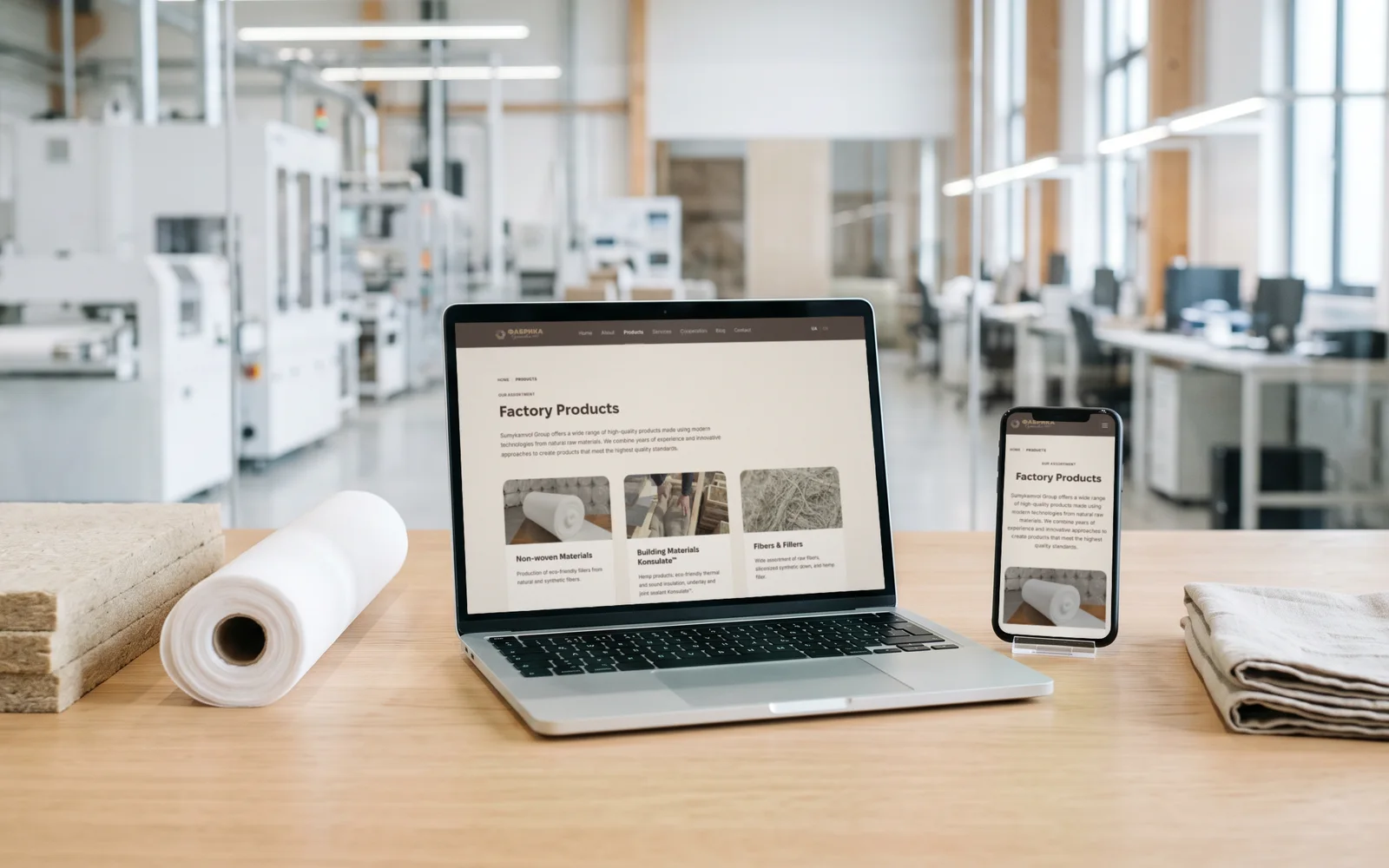
Fabrika Sumy, a textile factory founded in 1987, moved from a slow builder-based site to a static Astro build. Load time went from 4.2 seconds to 0.8 seconds. That gain came from serving a finished HTML file: nothing gets assembled while the visitor waits. A headless CMS paired with static generation relies on the same principle. The CMS does its job at build time, and the visitor only ever sees the result.
From 4.2s to 0.8s is what Fabrika Sumy’s move to a static Astro build achieved by serving a finished file instead of assembling one per visit.
A fast page also helps with the metrics Google measures directly: LCP under 2.5 seconds, CLS under 0.1, INP under 200 ms. A static, headless-driven site clears these by default, because there is far less work left to do once the visitor arrives.
Decision checklist
Answer these before committing to a headless CMS:
- Does the site run in more than one language, or is it likely to within a year?
- Does it use more than two or three distinct page templates?
- Does someone publish or edit content at least monthly?
- Is page speed a stated requirement for the project, with a target number attached?
- Is there a person on the team who will actually use the editing interface, or will updates always go through a developer anyway?
Two or more “yes” answers point toward a headless setup. Mostly “no” points toward a simpler static site with a lighter content layer, which costs less to build and to keep running.
Frequently asked questions
Is a headless CMS always faster than WordPress?
Speed depends on how the front end serves pages. A headless CMS paired with static generation is fast because the visitor gets a finished file. A headless CMS paired with a server that rebuilds pages on every request can be just as slow as a badly configured WordPress site.
Can I switch from WordPress to a headless CMS later without a full rebuild?
Content can usually be exported and migrated, but the front end still needs to be rebuilt, since WordPress themes and a headless front end are different codebases. Plan the switch as a rebuild with content migration.
Does a headless CMS mean I lose a visual page editor?
Some do, some do not. Sanity and Contentful both offer structured editing with previews, but neither gives you the drag-and-drop, on-page editing some WordPress page builders offer. Git-based tools like Decap and Keystatic are closer to editing a document than a page.
How do I know if my current site would benefit from going headless?
Run through the decision checklist above. If you are unsure where your site’s speed actually stands today, send it through a free website check: it flags what is slowing the page down and whether the fix is a rebuild or a smaller adjustment.
If the checklist points toward a headless rebuild, the next step is scoping the content model against your actual pages. See what a static, headless-ready build looks like on the websites page.
Bottom line
Run your site through the five-question checklist: two or more yes answers justify a headless CMS, and mostly no answers point to a simpler static site with a lighter content layer that costs less to build and run.
Need a site that can pull this off?
Websites & e-shops